


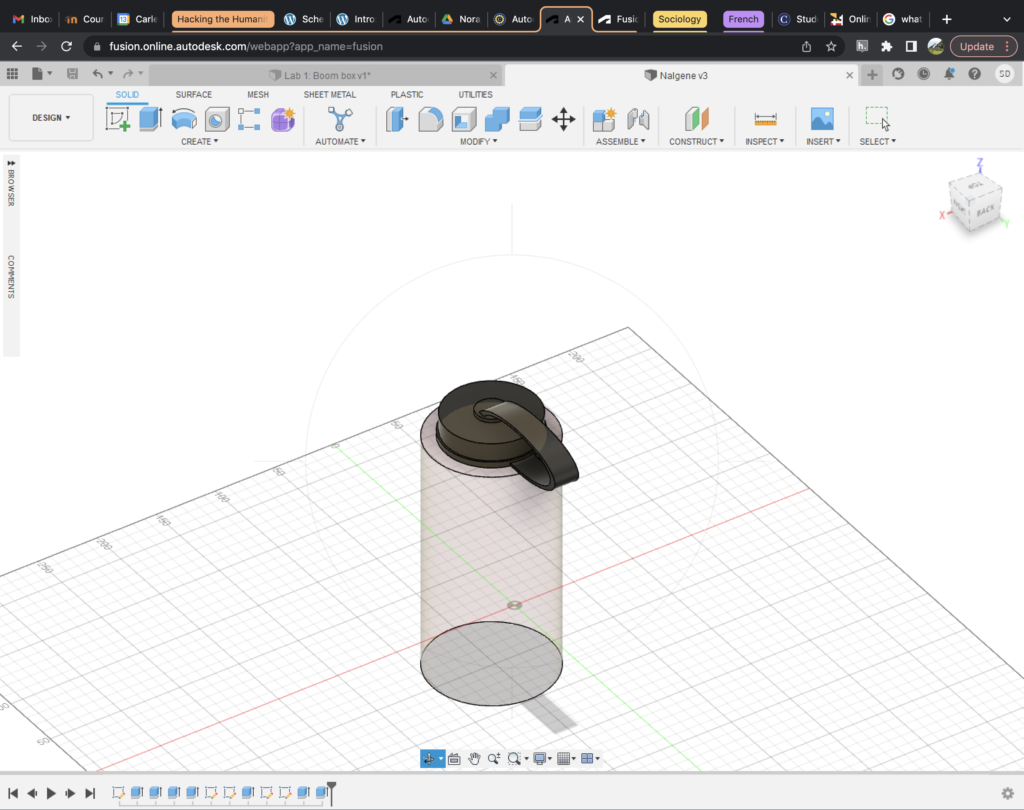

Using Fusion360 to 3-D model my water bottle was much harder than I expected it to be. Something that is such a seemingly simple object turned out to be much more complicated when I had to redesign it from the ground up. It was also difficult since I was making the model as I was learning how to use the software itself. Once I get the hang of the software, things began to go much more smoothy.
The most difficult element of the water bottle to make was the attachment loop, which connects the cap to the body of the water bottle. Initially, I just wanted to use the revolve feature on the program, but as I played around with this, I knew it was not going to look as realistic as I hoped. Instead, I had to go back to the sketching phase of development. Previously I had been sketching on the X Y plane, but for the loop, I had to change the plane to the Z X plane. Then, I was able to draw an ellipse and extrude it along this plane.
One compromise that I had to make was making the edges of the bottle sphere sharp and not rounded. I am sure with more time there is a way to do this, but for this project I was not able to figure it out.
I think 3-D modeling with this tool has a huge potential for use in the areas of research and teaching. As we’ve seen on museum websites, this would be a really neat feature to be able to model historic artifacts and give people a 3-D understanding of objects they are experiencing on a 2-D platform. Beyond artifact modeling, I think this program is overall really helpful to make compelling visuals for humanities research, which could a lot to any type of presentation, even if it’s just data driven.
A tip for novices: The Carleton makerspace has really helpful tutorial videos! I was able to construct this object after watching the first two videos.
6 thoughts on “3-D Modeling My Water Bottle”
Comments are closed.
I’m surprised that you managed to make the strap look realistic! I had a lot of trouble making any sort of curves look the way I wanted them to. Nice job.
The strap is really cool. I also love how you got the opacity right for a see-through water bottle.
I definitely agree with you on the difficulties having to learn as you go; like you said, it should get easier the more you work with the software. I also like how you handled making curves and chose to take on an object with a lot of curves!
I am super impressed with how your water bottle turned out! I also had some trouble attaching smaller details to my object and with the rotation feature, but I think with more practice it will get easier. I didn’t know about the maker space videos and will have to check those out!
That is an amazing water bottle. You managed to use realistic material, accurate proportions and drew it really well. Your ellipse looks realistic considering the tool used. I had similar problems on my first 3D model as I was not familiar with the tool, but as I learned how to use it sketching became a lot easier. How did you manage to make the bottle transparent?
I also modeled a water bottle. What I like most about yours is that it looks so realistic because of its upper part. I am surprised by how accurately such a curvy and non uniform object can be reproduced on Fusion 360. I also like how simple the rest of the bottle looks although I think adding a label on it would enhance the appearance.