
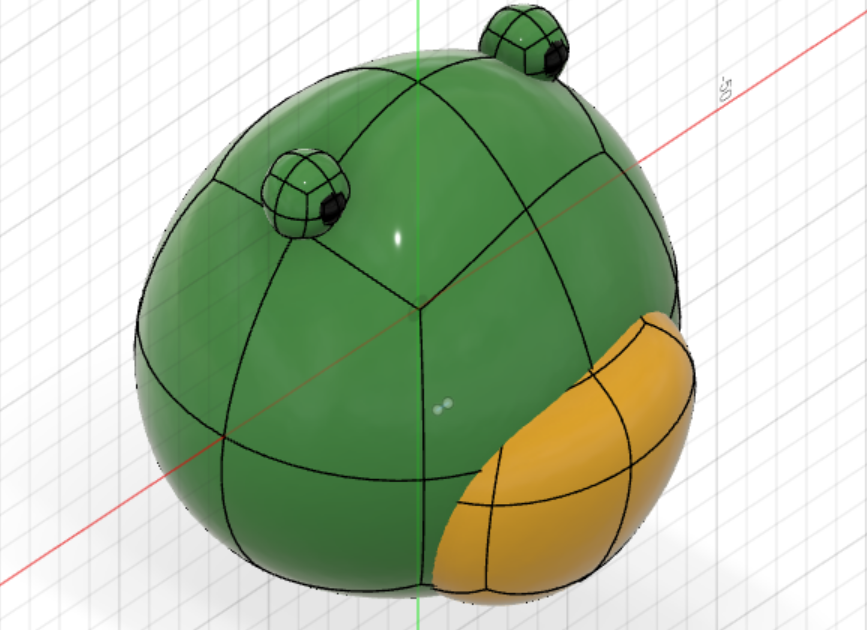
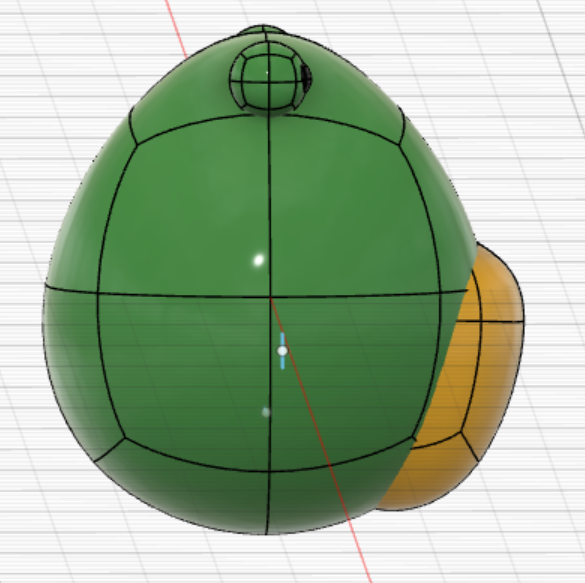
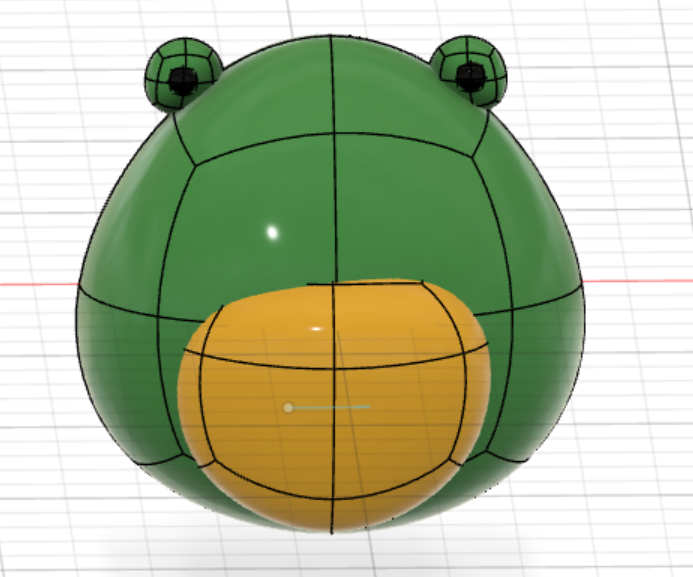
This week we were tasked with modeling a familiar object with the modeling software Fusion-360. I chose to model my stuffed animal frog that a friend gifted to me. I was able to crudely model it to varying degrees of success. Here are some photos of it:
Growing Pains:
I initially started this assignment very excited. It seemed like this project would be pretty straightforward, and would maybe be a nice creative activity. While it did end up having some fun creative elements, I was bogged down by the technical aspects of learning to use Fusion 360. The videos made the process look very easy, but the tools weren’t as easy as I thought, and I couldn’t possibly learn every technique in a short time.
The Hardest Tools:
For me, there were quite a few techniques I wasn’t able to get the hang of, but the most detrimental was changing objects after creation. A lot of the time the software wouldn’t let me change something until I pressed enter. I would then have to right-click and experiment with all the tools that it gave me, in an attempt to change the object to look how I wanted. This proved especially hard in the 3D space, as it was hard to tell how an object was being changed from different perspectives.
Compromises:
With all that being said, I had to make a few compromises with the tools I couldn’t quite grasp. A big one was the symmetry. I couldn’t figure out how to correctly make the objects. I was placing on top of others symmetrical. This was especially evident with the little details of the frog. Those details also caused me quite a few problems, since I couldn’t figure out how to draw or add onto the 3D space.
Further Uses:
One of my big interests in Digital Humanities is using these tools to model and represent language. I think this tool could be an interesting way to model vocal tracts and what they look like when making different sounds. This is a very specific and probably quite difficult thing, but it’s something I could see myself really enjoying.
On maybe a more fun note, I could see myself using this to destress and make something creative!
Tips and Tricks:
The thing that helped me the most was to consistently pan and move around the space to get different views for what I was doing. Often something would look good in one direction, but a bit janky in a different perspective. Panning and orbiting helped me catch some of the worst mistakes (not that I was able to fix them)!
2 thoughts on “Lab 1: 3D Modeling a Frog”
Comments are closed.
Looks good! I was wondering, how were you able to create the pupils of the frog? it looks like you have a sphere coming out of another sphere? Was that done manually, or did you use a function of fusion 360 to create that effect. My model didn’t use any spheres so I’m not sure what tools you need to use to manipulate them.
I love your idea of modeling vocal tracks. It reminded me of something I heard about that you might be interested in: https://www.nature.com/articles/s41598-019-56316-y. Researchers scanned mummies throats to reconstruct to hear what different Pharos voices may have sounded like.
Your tip was consistent with what I learned when trying to model a stool in my room. You need to be constantly checking on how your model looks along the way to make sure you are not making any huge mistakes. A final question is: Do you think in the future it’s worth reading/watching tutorials upfront for voiceflow or is it better to just dive in?